2.2. Simulating the Design Example
Follow these steps to create a MIPI DSI-2 TX design for simulation:
- Create a new project in Quartus® Prime Pro Edition software and specify a device for your design (Refer to Device Family Support for the supported devices).
- In the IP Catalog, select Library > Interface Protocols > Audio & Video > MIPI DSI-2 IP.
- Set up the parameters for the MIPI DSI-2 IP as required for your design:
- Configure the parameters on the Video Timing tab according to your design. Refer Video Timing Tab for more information.
- In the Design Example tab, select the MIPI DSI-2 Rx + Tx Simulation.
Figure 6. MIPI DSI-2 Design Example Tab with Simulation Option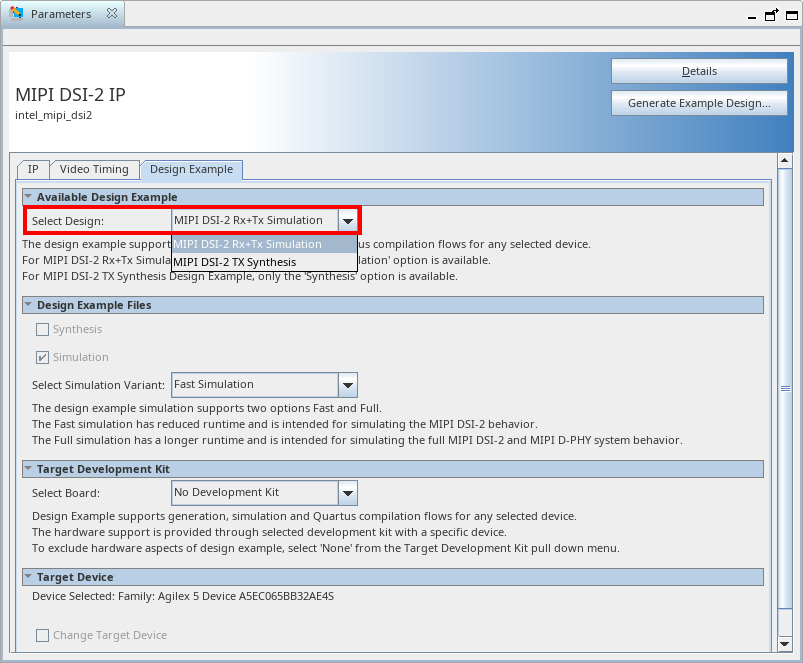
- Click the Generate Design Example to generate the design.
Refer to the Simulating the Design Example for more information.