1. DisplayPort IP Design Example Quick Start Guide
2. DisplayPort IP Design Examples
3. DisplayPort SST Parallel Loopback without PCR Design Example
4. DisplayPort SST Parallel Loopback with AXI4-S Video Interface Design Example
5. DisplayPort SST TX-Only Design Example
6. DisplayPort SST RX-Only Design Example
7. Document Revision History for the GTS DisplayPort FPGA IP Design Example User Guide
1.5.1. Compiling and Testing the Design Using Agilex™ 3 FPGA and SoC C-Series Development Kit
1.5.2. Compiling and Testing the Design Using Agilex™ 5 E-Series 065B Premium Development Kit
1.5.3. Compiling and Testing the Design Using Agilex™ 5 E-Series 065B Modular Development Kit Connector with No FMC Mode
1.5.4. Compiling and Testing the Design Using Agilex™ 5 E-Series 065B Modular Development Kit Connector with Bitec Rev 8 Daughter Card
1.5.1. Compiling and Testing the Design Using Agilex™ 3 FPGA and SoC C-Series Development Kit
To compile and run a demonstration test on the hardware design example, follow these steps:
- Ensure hardware design example generation is complete.
- Launch the Quartus® Prime Pro Edition software and open <project>/quartus/agi_dp_demo.qpf.
- On the Processing menu, click Start Compilation.
- Confirm successful compilation by verifying that the IP generates the bitstream file (.sof) and meets the timing requirements.
- Connect the DisplayPort TX connector on the development kit to a DisplayPort sink device, such as a video analyzer or a PC monitor. Connect the DisplayPort RX connector to the video source.
The following diagram shows the Agilex™ 3 Development Kit with the DisplayPort connectors located on the right-hand side.
Note: Due to limitation of GTS channels, the DisplayPort RX and TX interfaces are only populated with 2 lanes of signals. This is only a development kit limitation as the GTS channels are shared with other protocols.Figure 6. Agilex™ 3 FPGA and SoC C-Series Development Kit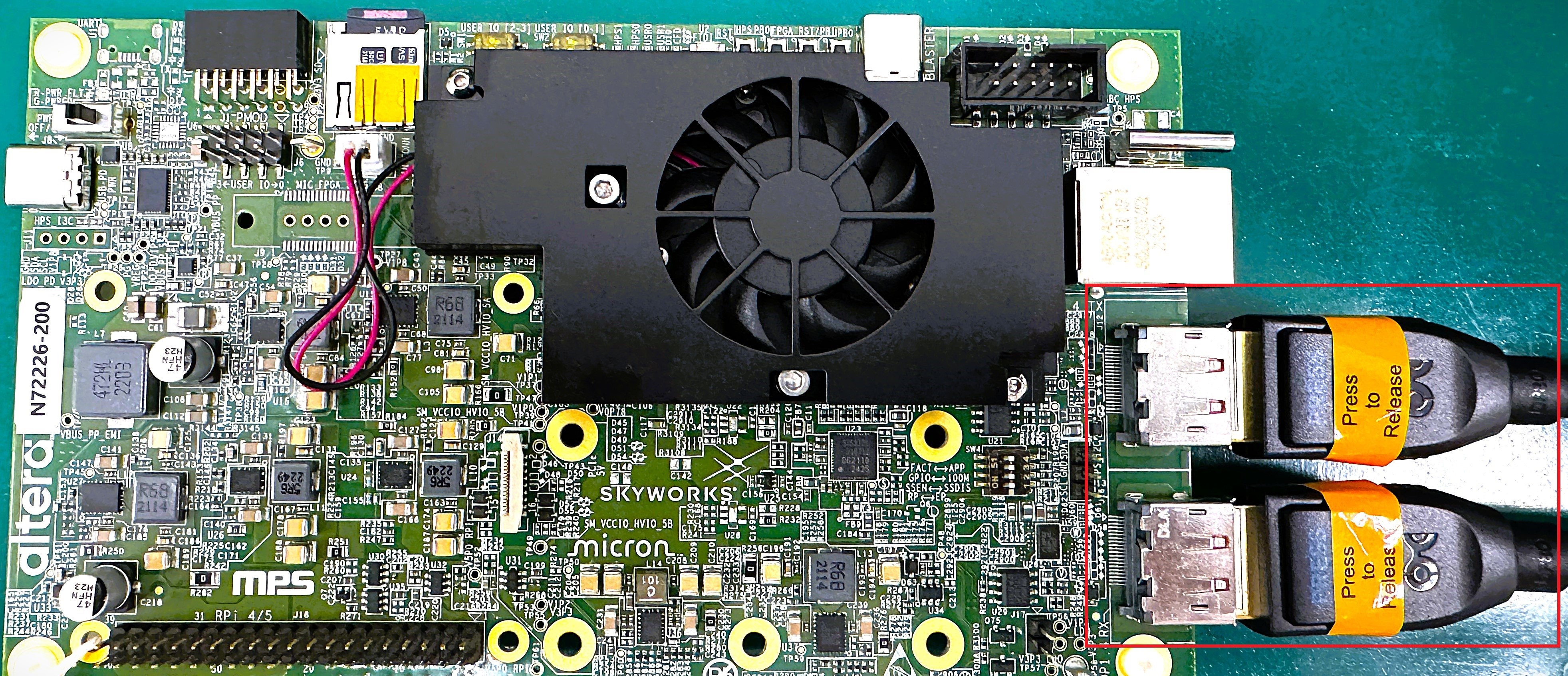
Related Information