Better Bluetooth Experience – Recommended Wireless, Audio Drivers and OS Configurations
Content Type: Compatibility | Article ID: 000102702 | Last Reviewed: 08/26/2026
For optimal performance with Bluetooth accessories such as keyboards, mice, and headsets, we recommend using the following combinations of wireless and audio drivers together with a supported operating system. These recommendations are intended to align with Intel generic guidance as well as Engineered for Intel® Evo™ and Intel vPro® Certified Program messaging, to help promote a consistent end‑user experience for connectivity and audio performance.
Recommended Driver and OS Versions
| The Core™ Processor on Intel® Platform | Audio Driver1 ( Intel® Smart Sound Technology – Intel® SST ) | Intel® Wireless Driver | Windows® OS |
| 20.43.12784.6 or newer | Windows® 11 OS ( 24H2 ) : Build 10.0.26100.37623 or newer | ||
| 20.42.12849.0 or newer | |||
| 20.40.12849.0 or newer |
| 1Note | Due to codec and hardware dependencies (for example, Cirrus, Realtek, TI), Audio drivers vary by PC model and are provided only by PC manufacturers. Please consult your PC manufacturer to confirm the driver availability and compatibility for your specific system. |
How to check driver versions
 and select Device Manager.
Check driver versions on:
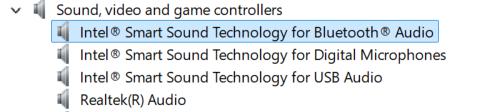
Expand Sound, video and game controllers
Right-click one of the Intel® Smart Sound Technology devices → Properties → Driver tab
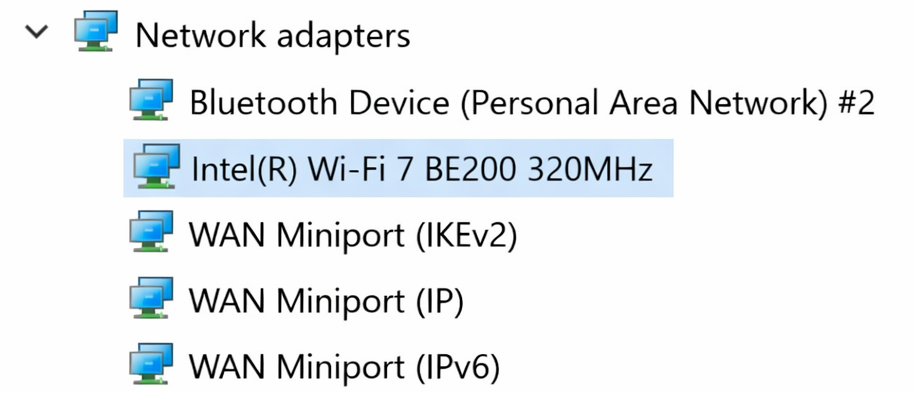
Expand Network adapters
Right-click the Intel® Wi-Fi device → Properties → Driver tab
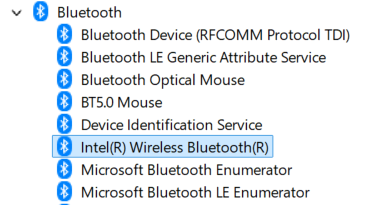
Expand Bluetooth
Right-click the Intel® Wireless Bluetooth device → Properties → Driver tab