How to Find the Generation of Intel® Core™ Processors
Content Type: Identify My Product | Article ID: 000032203 | Last Reviewed: 12/16/2025
To identify your Intel Core generation, you need first to identify the processor. Refer to how to identify your Intel® Processor and note the number.
In Intel® Core™ Processors, the generation of the processor is the number (or the two numbers) after the i9, i7, i5, or i3, as shown in the example below.
| Note | This method applies only on Intel® Core™ Processors and does not apply on Intel® Pentium®, Intel® Celeron®, or Intel® Xeon®. For more information on Intel® Pentium®, Intel® Celeron®, or Intel® Xeon®, visit A Brief Guide to Our Latest Processor and Naming Updates. |
Here is an example of 14th Generation Intel® Core™ Processor.
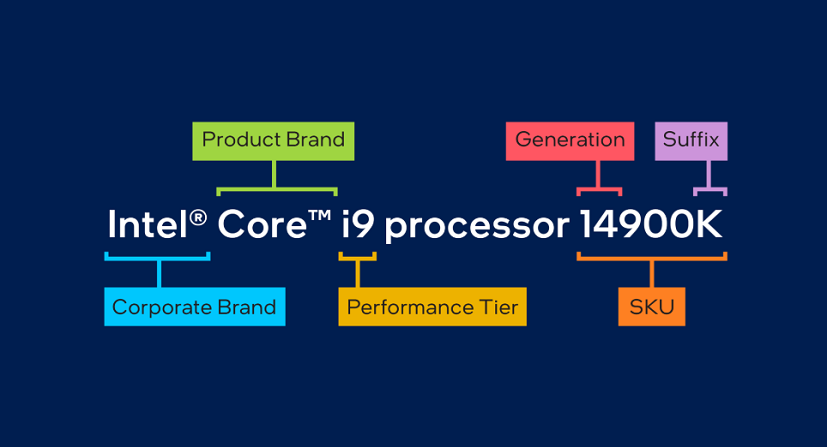
Here are some examples by processor generation:
14th Gen example
13th Gen example
12th Gen examples
11th Gen examples
10th Gen examples
9th Gen examples
8th Gen examples
7th Gen examples
6th Gen example
5th Gen example
4th Gen example