Intel® Binary Optimization Tool: Enhanced Performance for Gaming
Content Type: Product Information & Documentation | Article ID: 000102604 | Last Reviewed: 06/08/2026
Intel® Binary Optimization Tool is an added feature that users can choose to enable, which optimizes software to run games and applications more efficiently on Intel hardware. Intel® Binary Optimization Tool is now available under advanced mode within the Intel® Application Optimization user interface for select processors. This feature is only available on select, recently released processors (listed below). Game titles may vary depending on specific processor and graphics card combination.
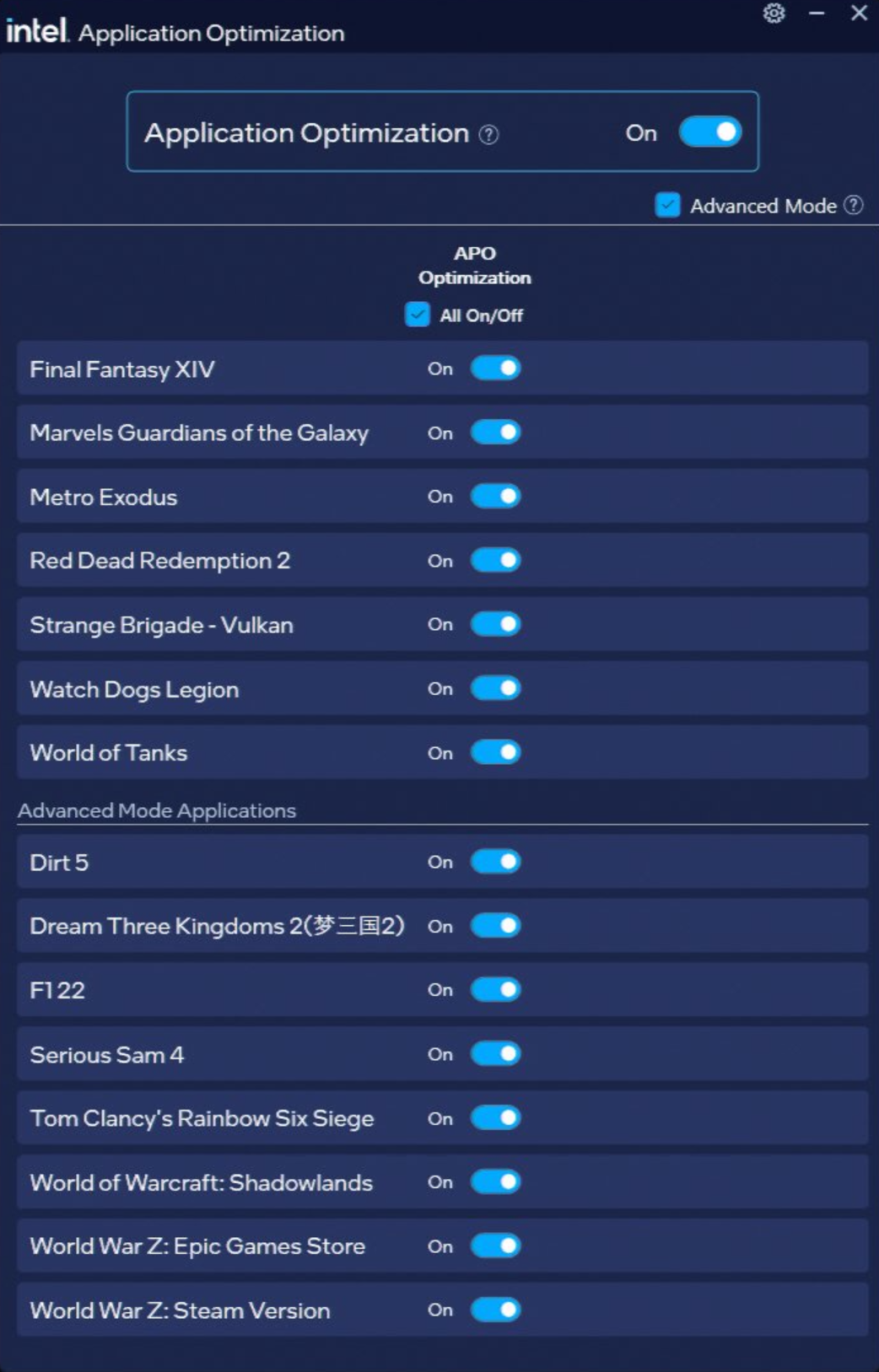
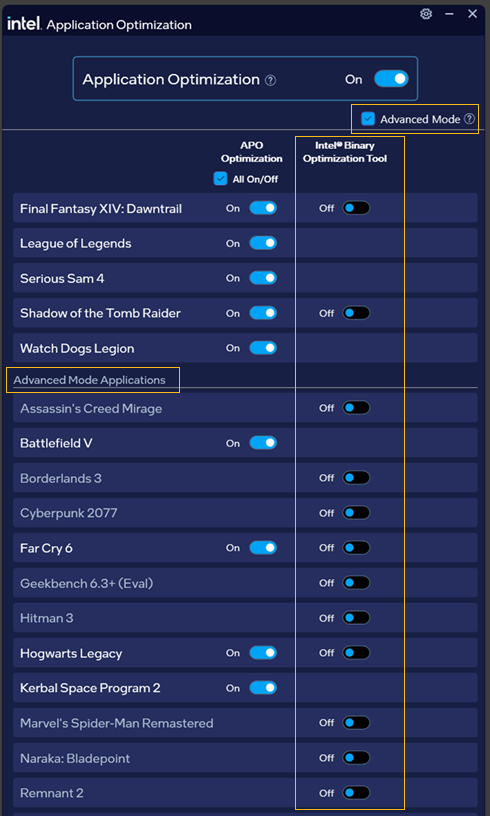
| Intel® Application Optimization with default title optimization and Advanced Mode enabled without Intel® Binary Optimization Tool support. Titles will vary from system to system, depending on the overall hardware. | Intel® Binary Optimization Tool enablement is visible after checking the Advanced Mode check box. Titles will vary from system to system, depending on the overall hardware. |
 |  |
| Notes |
|
Intel® Application Optimization and Intel® Binary Optimization tool require Intel® Dynamic Tuning Technology (Intel® DTT) driver for operation. This driver is now available for download as part of the unified driver Intel® Platform Performance Package. Notice: DTT or IPF must be enabled in BIOS for the application to operate. For more information on Intel® Application Optimization Requirements, visit Intel® Application Optimization Overview.
Intel® Core™ Ultra 200 Plus Series processors (product formerly known as Arrow Lake Refresh).
Intel® Core™ Ultra Processors (Series 3) (product formerly known as Panther Lake).
| Note | Intel® Arc™ G3 Processor Seriesare not supported for Intel® Application Optimization or Intel® Binary Optimization. |
Getting Started with Intel® Binary Optimization Tool
| Note | Titles may vary from system to system, depending on overall hardware configuration. |