Intel vPro® Fleet Services Recognizes and Shows Endpoint, but Status Remains “Unknown;” CIRA Is Disconnected; Provisioning Fails
Content Type: Troubleshooting | Article ID: 000102509 | Last Reviewed: 06/29/2026
Need to resolve situations where an endpoint enrolled in Intel vPro® Fleet Services (VFS) displays a status of Unknown and CIRA Disconnected during setup using a preview token. These conditions prevent the device from completing successful provisioning.
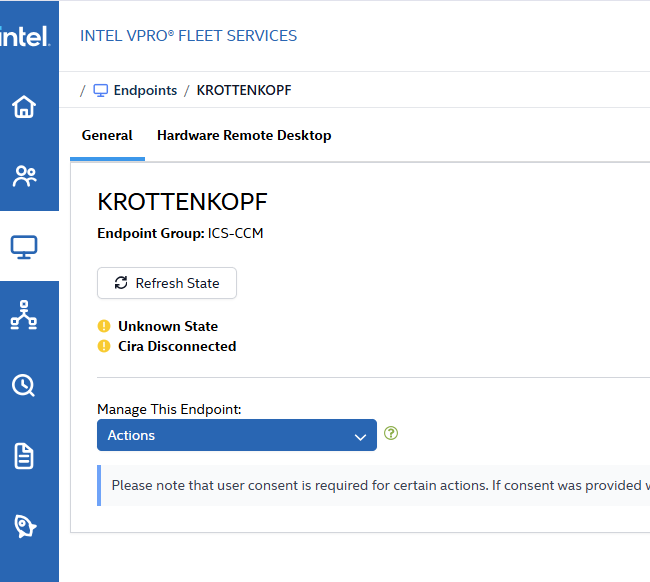
While trying to provision the endpoint using the preview token you will see the status remains Unknown and Cira disconnected.
Please find the error screenshot, which shows the endpoint status Unknown and Cira disconnected.
To resolve this issue, follow the steps outlined below:
Perform the following actions on the endpoint:
To get into Intel® MEBx (Management Engine BIOS Extension):
Restart the endpoint and press CTRL+ P while rebooting to get into Mebx. If you face any challenges during this process, contact your OEM. Accessing Intel® MEBx (Management Engine BIOS Extension) allows verification of Intel AMT provisioning status and configuration, which is essential for successful vPro Fleet Services (VFS) activation and CIRA connectivity.