Skip To Main Content
Support Knowledge Base

Intel® vPro® Fleet Services—Out-of-Band (OOB) KVM with a Discrete Graphics Card Plugged In and Enabled

Content Type: Troubleshooting   |   Article ID: 000102470   |   Last Reviewed: 03/19/2026

Environment

Operating System

Windows 11* Family, Windows® 10 family
Workstation with NVIDIA RTX A1000 discrete graphics card DisplayPort (DP) emulator plugged into onboard Intel® graphics NVIDIA graphics card connected to a physical monitor

Description

Unable to use KVM when a discrete graphics card is plugged in and enabled.

Resolution

  1. Plug the DisplayPort (DP) emulator into the onboard Intel® graphics output.
  2. Connect the NVIDIA discrete graphics card to a physical monitor.
  3. Utilize KVM while having only the NVIDIA graphics card hooked up to a monitor.
  4. Reboot the system and enter BIOS to verify that the onboard Intel® graphics still allows remote Hardware KVM access.

Hardware KVM during OS runtime

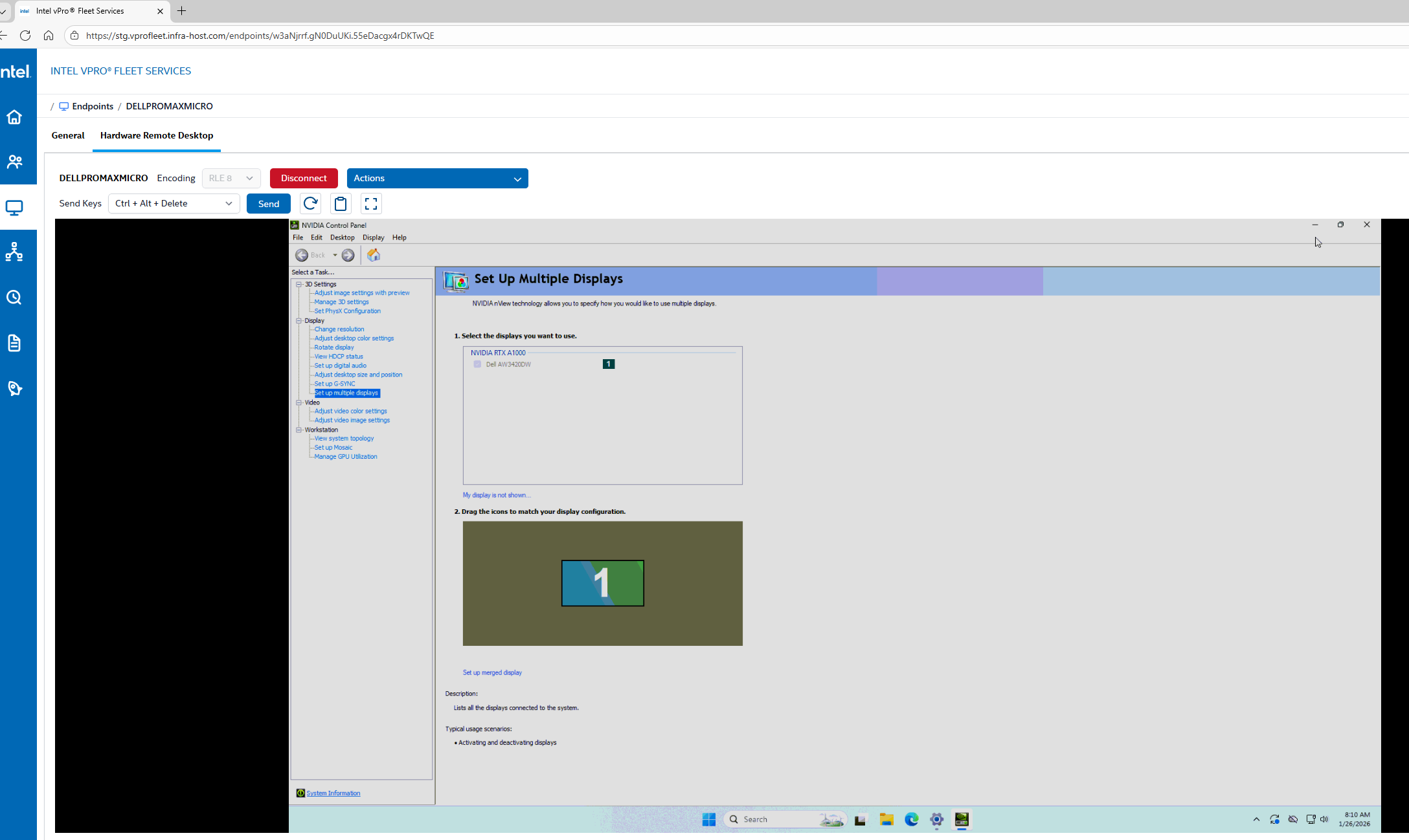
The image below shows an active Hardware KVM session while the operating system is running. It confirms that KVM remains functional when the NVIDIA RTX A1000 discrete graphics card is connected to the physical monitor, while the onboard Intel® graphics is available for KVM through a DP emulator.
example screenshot

Hardware KVM during BIOS (pre-boot)

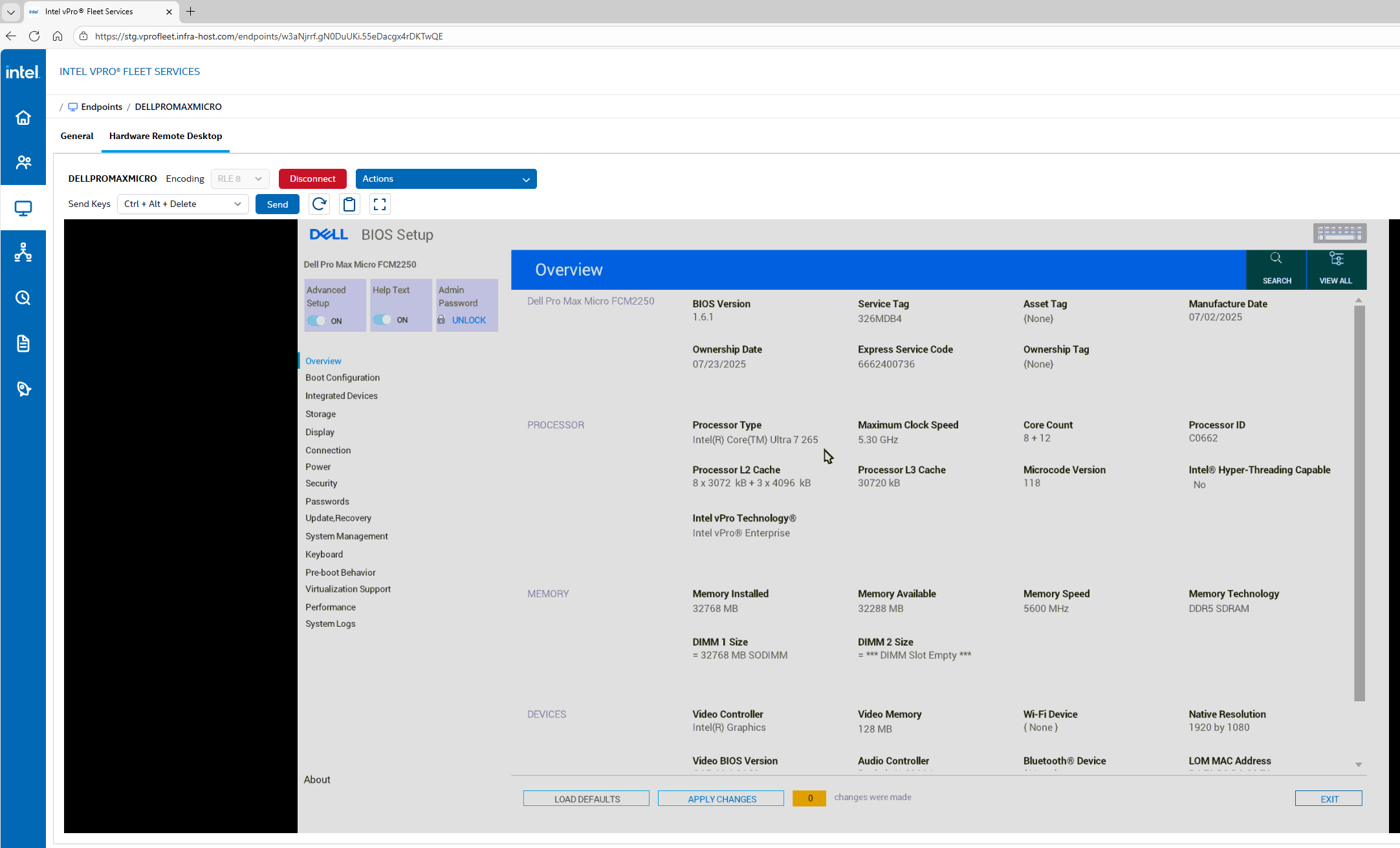
This image shows the system BIOS accessed remotely using Hardware KVM. It confirms that the onboard Intel® graphics continues to support remote Hardware KVM during the pre-boot phase, even with a discrete graphics card installed and enabled.

example screenshot

Related Products

This article applies to 2 products.