How to Obtain Bandwidth Information of CXL Memory and Intel® Xeon® Processors?
Content Type: Product Information & Documentation | Article ID: 000100115 | Last Reviewed: 06/01/2026
How do we obtain bandwidth information of CXL memory?
To obtain bandwidth information of CXL memory on a 4th Gen Intel® Xeon® Scalable processor, you can use the Intel Memory Latency Checker (Intel® MLC) tool.
For example:
Here is an example command: ./mlc --memory_bandwidth_scan
This command runs a memory bandwidth scan using multiple threads to access memory on a specific NUMA node.
Histogram report of BW in MB/sec across each 1GB region on NUMA node 2
BW_range(MB/sec) #_of_1GB_regions
---------------- ----------------
[15000-19999] 15
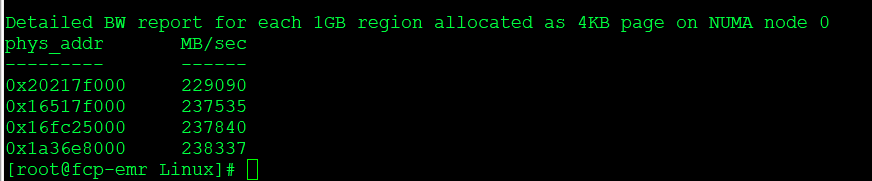
Detailed BW report for each 1GB region allocated as 4KB page on NUMA node 2
phys_addr MB/sec
--------- ------
0x4300fef000 16960
0x4300c00000 17674
...
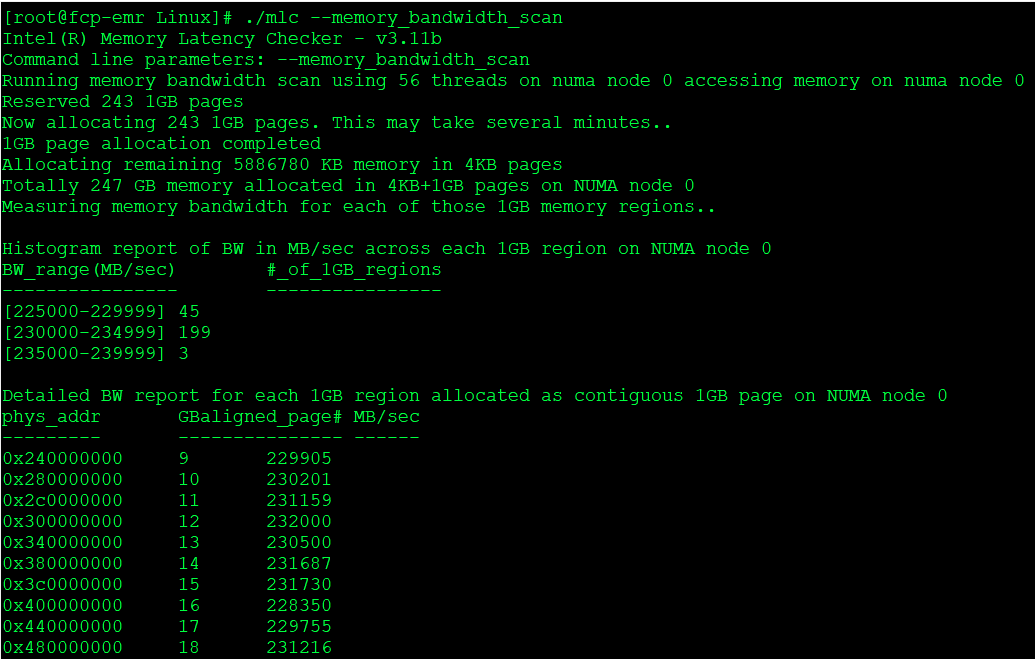
Results:
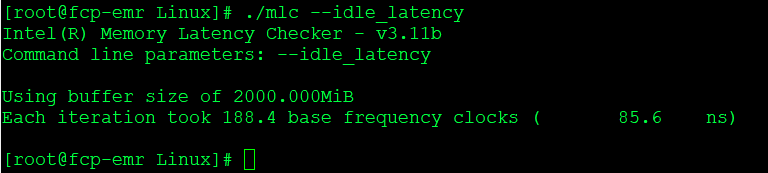
Idle Latency: ./mlc --idle_latency
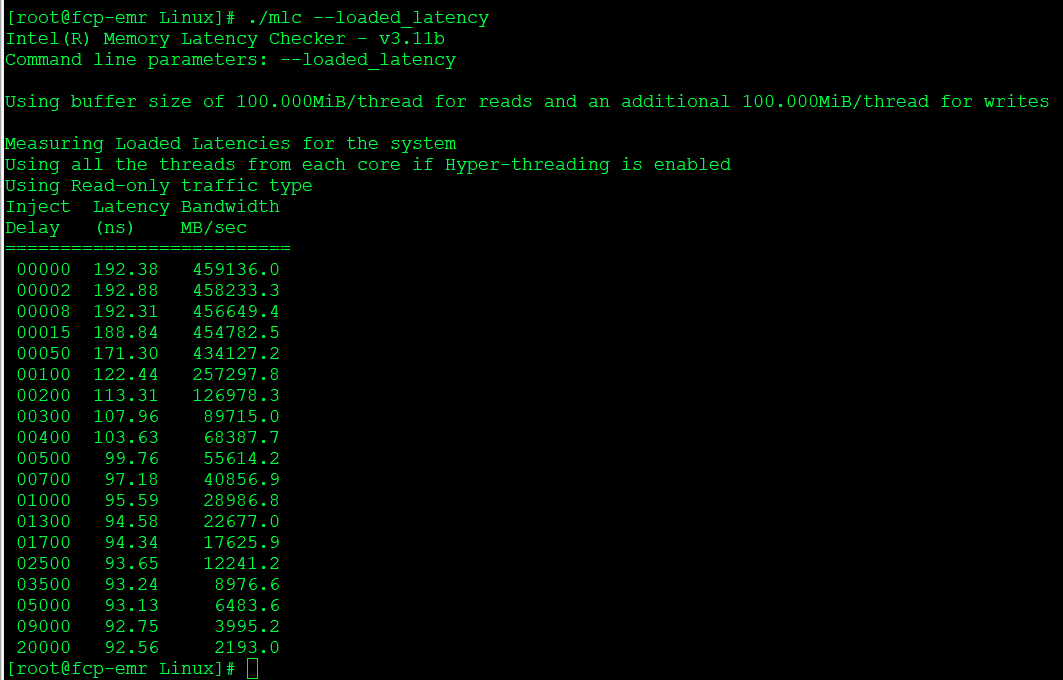
Loaded Latency: ./mlc --loaded_latency
These steps will help you obtain detailed bandwidth information of CXL memory on the Intel® Xeon Scalable processors.
| Related topic |
| Which Generation of Intel® Xeon® Scalable Processors Support Compute Express Link (CXL) and PCIe* 5.0? |