How to Update the Intel® EMA Agent File on Managed Endpoints During an Intel® EMA Software Upgrade
Content Type: Troubleshooting | Article ID: 000088690 | Last Reviewed: 09/07/2026
After upgrading the Intel® EMA server, managed endpoints may appear to keep using the previous Intel® EMA agent file, or the agent file may not update immediately.
The Intel® EMA agent file on managed endpoints is updated automatically the first time each endpoint connects to the upgraded Intel® EMA server.
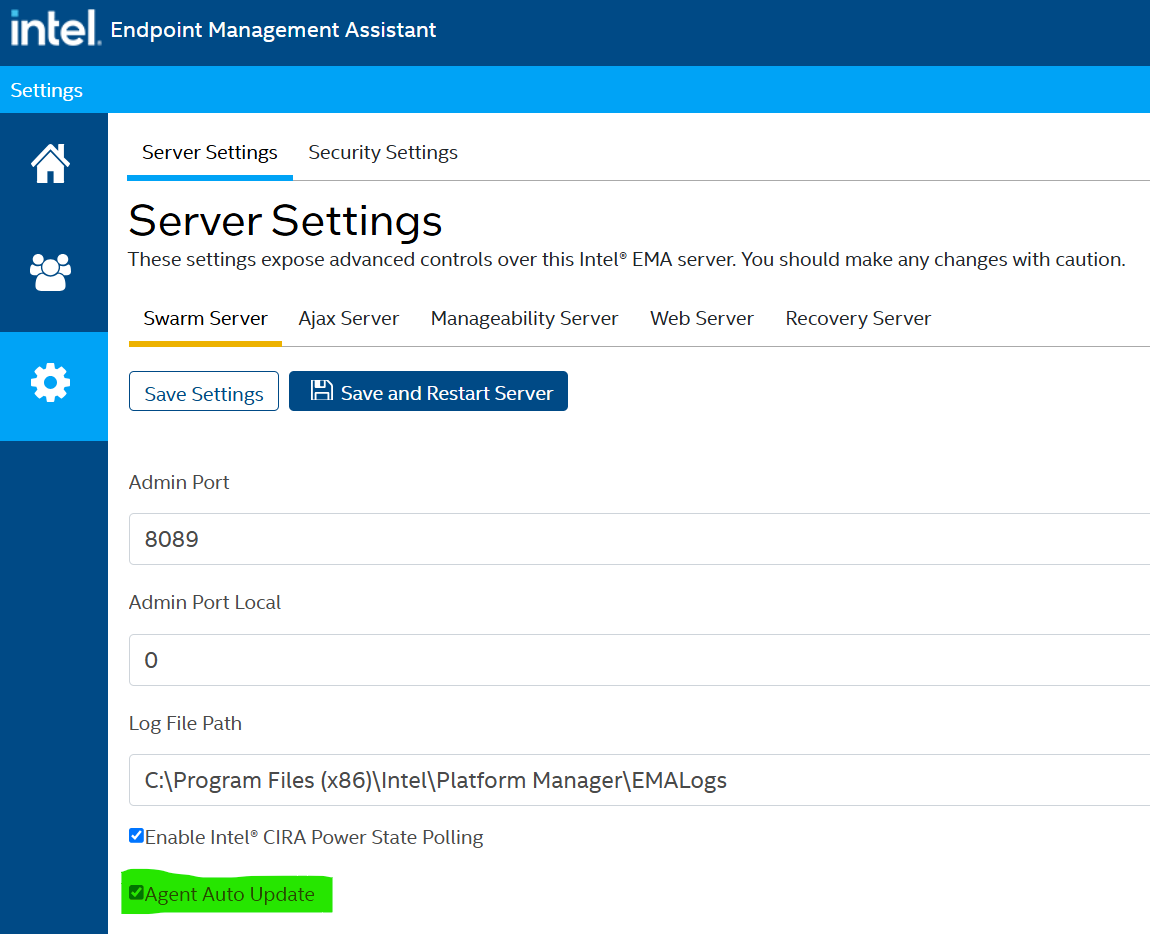
For this process to occur, the Agent auto-update option must be enabled in the Swarm Server settings. This option is enabled by default.
Steps to Verify the Agent Auto-Update Setting
1. Sign in to the Intel® EMA console using a Global Administrator account.
2. Go to EMA Portal > Settings > Swarm Server.
3. Confirm that Agent auto-update is enabled.
4. After the Intel® EMA server upgrade is complete, allow managed endpoints to reconnect to the server so the updated agent file can be applied automatically.
For more details, refer to the Appendix - Updating a Single Server Architecture Environment section in the Intel® Endpoint Management Assistant (Intel® EMA) Server Installation Guide.