Option one: Report an issue through the Intel® Graphics Software (Version 26.14.2306.2 and later)
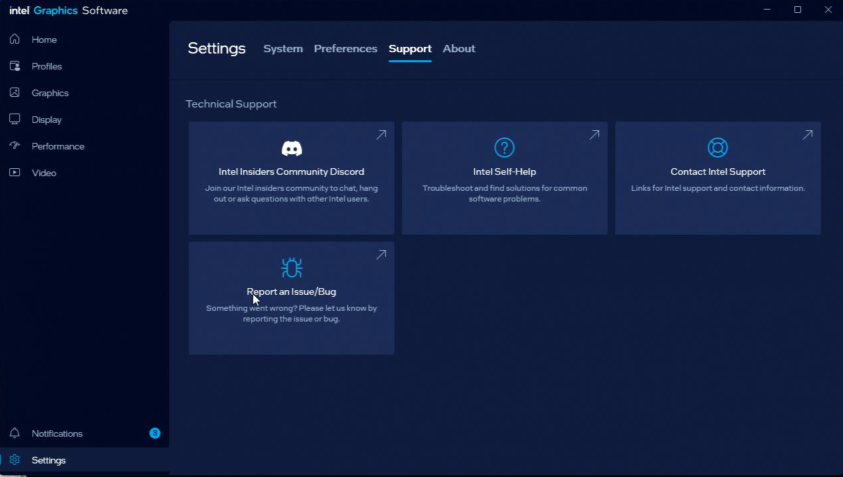
- Install Graphics Driver 101.8801 or later with IGS version 26.14.2306.2 or later
- Open the Intel® Graphics Software
- Navigate to Settings
- Navigate to Support
- Click Report a Bug or Issue
- Fill out the requested information and click Send
Note: Option 1 is only available for Intel® Arc™ A-Series Cards, Intel® Arc™ B-Series Cards, and Intel® Core™ Ultra with built-in Intel Arc GPUs
Option two: Contact Intel Support through the Intel® Graphics Command Center
- Open the Intel® Graphics Software
- Navigate to Settings
- Navigate to Support
- Click Contact Intel Support
- Scroll to Intel Graphics
- Click Online Service Request
- Log in or create an account
- Fill out the requested information and click Submit Request.
| Note | When including information about the issue, we recommend that you include information such as: - What are you seeing?
- Step by step instructions to replicate the issue
- Monitor model number(s), cable type(s), etc.
- Software name(s) and version(s)
|