Quantization Range Option in Intel® Graphics Software, Intel® Graphics Control Panel, or Intel® Graphics Command Center User Guide
Content Type: Product Information & Documentation | Article ID: 000029572 | Last Reviewed: 02/06/2026
The Quantization Range option can be found on the Intel® Graphics Software within the Display tab and on Intel® Control Panel and the Intel® Graphics Command Center under Display > General Settings.
This function allows you to control the black and white leves of a connected display.
Depending on the display you are using, your colors may look a little gray. Limited is most commonly used on TV screens, while Full is the recommended setting.
Intel® Graphics Software
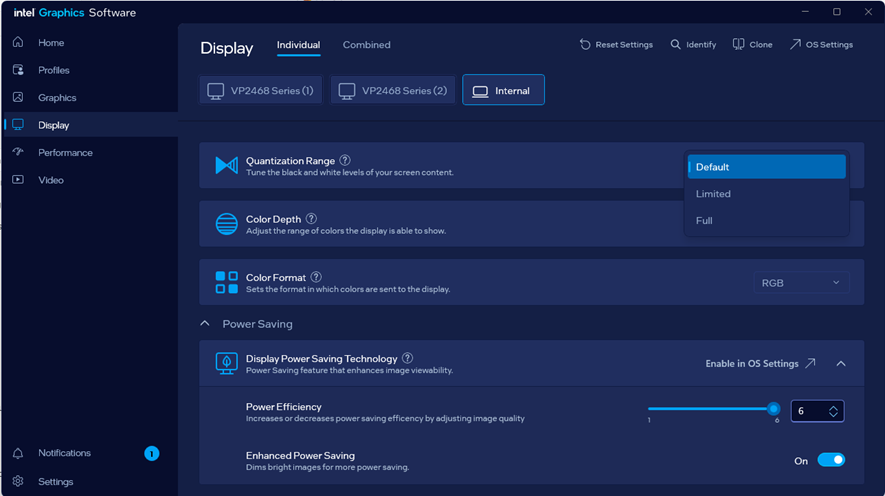
Figure 1. The Quantization Range option found in the Intel® Graphics Software.
Intel® Graphics Command Center
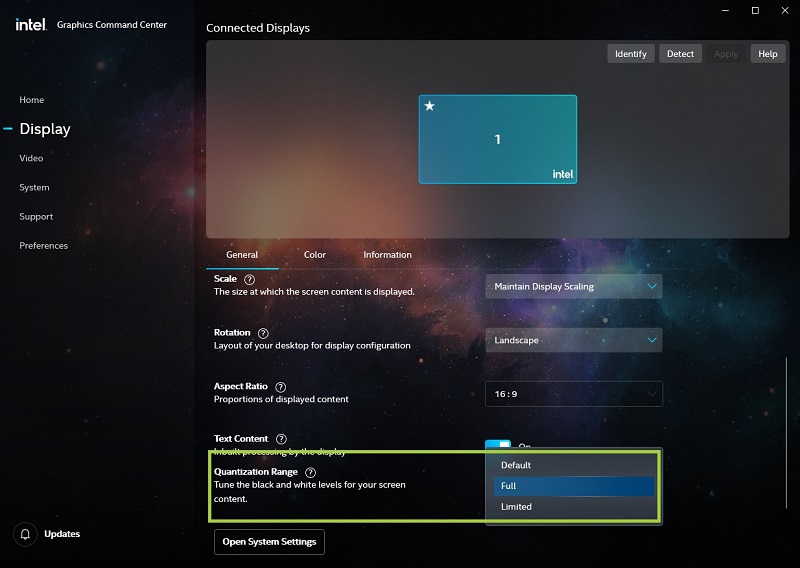
Figure 2. The Quantization Range option found in the Intel® Graphics Command Center.
Intel® Graphics Control Panel
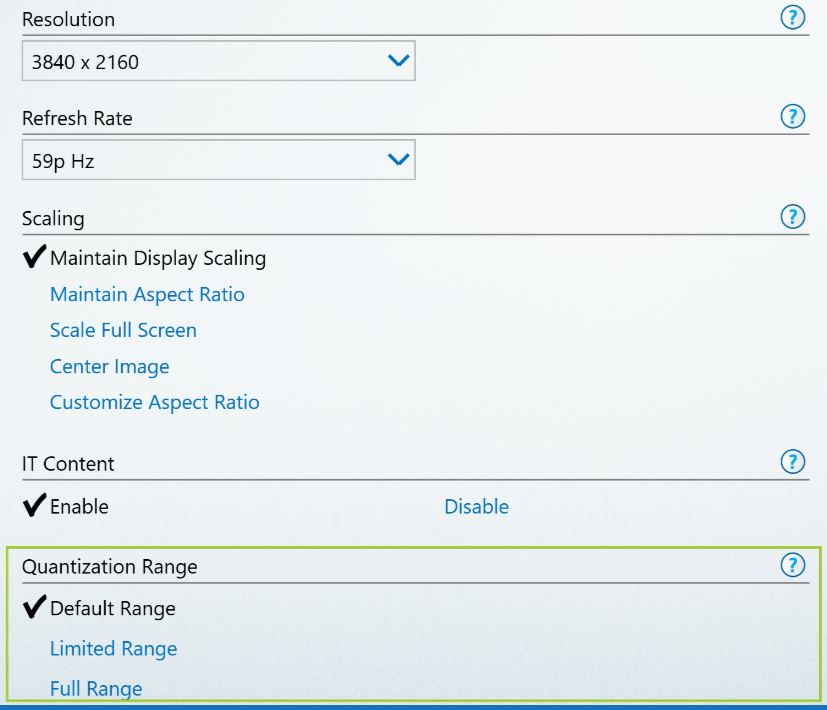
Figure 3. The Quantization Range option found in the Intel® Graphics Control Panel.