Physical Installation Instructions for Intel® Optane™ SSD 900P Series
Content Type: Install & Setup | Article ID: 000025736 | Last Reviewed: 10/28/2017
See the instructions below for how to install the Intel® Optane™ SSD 900P Series hardware. The PCIe* NVMe*-based SSD requires specific support from your motherboard or system vendor. Check with your vendor before proceeding.
Before you begin
Caution | Disconnect the desktop board's power supply from its AC power source before you connect cables, disconnect cables, install, or remove any board components. Without first disconnecting the power supply, you risk personal injury or equipment damage. Some circuitry on the desktop board can operate even if the front panel power switch is off. Electrostatic discharge (ESD) can damage desktop board components. Install the board at an ESD-controlled workstation. If an ESD-controlled workstation is unavailable, wear an anti-static wrist strap or touch the surface of the anti-static package before handling the board. |
Prepare
Your board may have multiple PCIe* slots. The PCIe SSD needs a PCI Express* (PCIe) x4 or higher connector. Best performance is with a PCIe 3.0 connector.
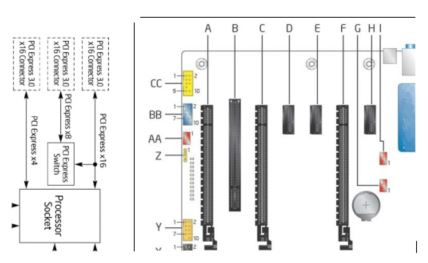
In our example:
Installation steps for Intel® Optane™ SSD 900P Series add-in card
See your chassis manual for more detailed instructions.
Installation steps for the Intel® Optane™ SSD 900P Series 2.5-inch U.2 drive
See your chassis manual for more detailed instructions.
| M.2 | SFF 8643 |
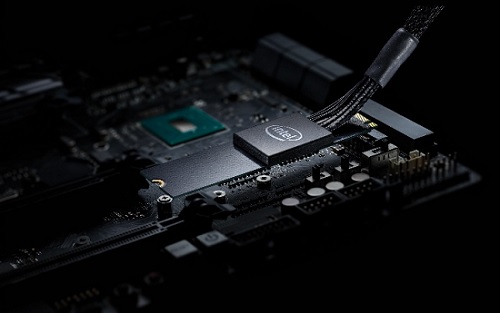 | 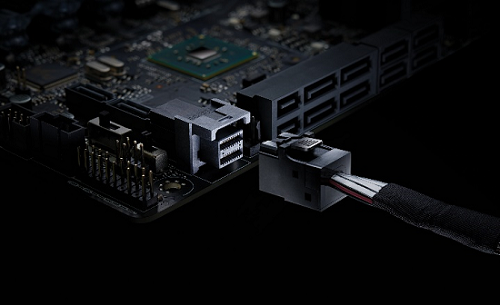 |
| Note | Make sure the electrical connection to the mini-SAS HD/M.2 connector is PCIe, not SAS, or SATA. NVMe SSDs only support PCI Express* signals. The SFF 8643 connector is also called a mini-SAS HD connector. The SFF 8639 may also be called a SATA-express* drive connector with more signals. |