Introduction
| IP Core | IP Core Category |
|---|---|
| Nios V Soft Processor FPGA IP - M Core | EmbeddedProcessor |
| altera_avalon_onchip_memory2 | Other |
| altera_avalon_jtag_uart | Other |
| PIO IP | Other |
| System ID | Other |
Detailed Description
The PIO core is configured for output ports only and the outputs are connected to the LED on the development kit. The application, which runs atop this design, toggles these output registers of the PIO core. The application writes and reads back the content from the IP location.
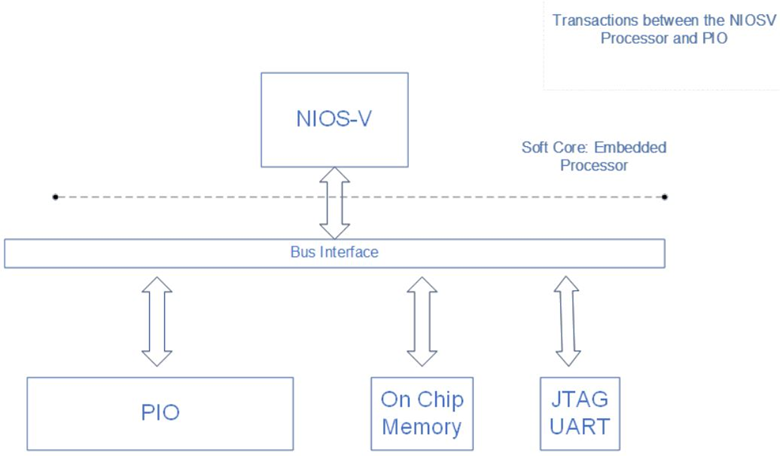
Please refer to the document for details about the design.
Prepare the design template in the Quartus Prime software GUI
Note: After downloading the design example, you must prepare the design template. The file you downloaded is of the form of a <project>.par file which contains a compressed version of your design files (similar to a .qar file) and metadata describing the project. The combination of this information is what constitutes a <project>.par file. You can simply double click on the <project>.par file and Quartus will launch that project.