Laptop vs Desktop Used to Be About Choosing Between Portability or Performance. Now You Can Pick a Computer Suited Exactly to Your Needs
Choosing a new computer used to be an exercise in frustrating tradeoffs—would you rather have more battery life or a lower price, a larger screen or greater portability? Today, choosing between laptop vs. desktop is more about maximizing your options. With the continual improvement in technology—and more options than ever—you can choose the perfect computer that fits your individual goals.
Laptop vs. Desktop: A Blurred Divide
The question of laptop vs. desktop used to rely solely on how much performance you wanted versus how easy it was to take your work with you. But in the era of mini PCs that fit in one hand and premium laptops that can compete with desktops for performance, you now have more options, and more potential.
Now, the right choice depends on how you're going to use the device. The general division between computing devices is still based on where you use it:
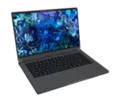
- Laptops suit on-the-go users. They combine hours of battery life with the performance and responsiveness to power immersive experiences that keep you productive wherever you go.
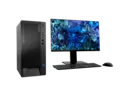
- Desktops are ideal for power users. They offer more processing power at a lower cost and are easier to upgrade, repair, and customize for your ideal computing experience at home.
That said, there are no hard and fast rules anymore. Mini PCs are smaller than most laptops, portable, and easily stored. And with designs optimized for today’s users, laptops now offer the same power and performance as you can get from almost any desktop alongside high-end technologies for great on-the-go experiences.
All-in-One: Turning PCs on Their Side
Turning the idea of the traditional PC on its side—literally—All-in-One PCs (AIO PCs) blur the lines between desktops and laptops with a large touchscreen and a built-in battery. You can easily prop it up, lay it down, or unplug it and move it to any room in the house. These computers can even be mounted on the wall to create, stream, and share HD content, play online games as a family, or enjoy music.
All-in-One PCs can cost more than the traditional desktop and may be more difficult to upgrade, but they provide a space-saving, stylish alternative to the traditional home computer.
2 in 1: The Height of Versatility
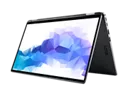
Demonstrating the flexibility of modern designs, 2 in 1 laptops switch between traditional laptop or tablet positions to other positions such as standing up like a tent. Spanning between laptop and tablet, many models include touchscreen and stylus capabilities. Some 2 in 1 laptops are closer to tablets, with screens that can be detached completely, while others are extra flexible laptops that can flip, swivel, or slide to new modes.
With design options that range from traditional laptop to tablets, consider how you are going to use your device. Keep portability, performance, flexibility, monitor size, and price in mind as you shop.
Mini PC: Space-Saving Powerhouse
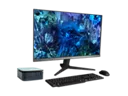
Bring the full capabilities of a PC to small spaces almost anywhere. These stylish, space-saving designs consume less power but include the local storage and wireless capabilities expected in full-size PCs.
While powerful, portable, and compact for anywhere in the home, Mini PCs offer new options for computing. Maybe you’d like to add more entertainment potential to your living room or go meet up with friends for PC gaming. Maybe you’d like a smaller PC that can go from home office to work to meeting space. If so, Mini PCs might be right for you.